✨ Maximum Retention Period for Spend Logs
This walks through how to set the maximum retention period for spend logs. This helps manage database size by deleting old logs automatically.
Requirements
- Postgres (for log storage)
- Redis (optional) — required only if you're running multiple proxy instances and want to enable distributed locking
Usage
Setup
Add this to your proxy_config.yaml under general_settings:
general_settings:
  maximum_spend_logs_retention_period: "7d"  # Keep logs for 7 days

  # Optional: set how frequently cleanup should run - default is daily
  maximum_spend_logs_retention_interval: "1d"  # Run cleanup daily

  # Optional: set exact time for cleanup (Cron syntax)
  maximum_spend_logs_cleanup_cron: "0 4 * * *" # Run at 04:00 AM daily

litellm_settings:
  cache: true
  cache_params:
    type: redis
Configuration Options
maximum_spend_logs_retention_period (required)
How long logs should be kept before deletion. Supported formats:
"7d"– 7 days"24h"– 24 hours"60m"– 60 minutes"3600s"– 3600 seconds
maximum_spend_logs_retention_interval (optional)
How often the cleanup job should run. Uses the same format as above. If not set, cleanup will run every 24 hours if and only if maximum_spend_logs_retention_period is set.
maximum_spend_logs_cleanup_cron (optional)
Schedule the cleanup using standard cron syntax. This takes precedence over maximum_spend_logs_retention_interval.
Examples:
"0 4 * * *"– Run at 04:00 AM daily"0 0 * * 0"– Run at midnight every Sunday"*/30 * * * *"– Run every 30 minutes
How it works
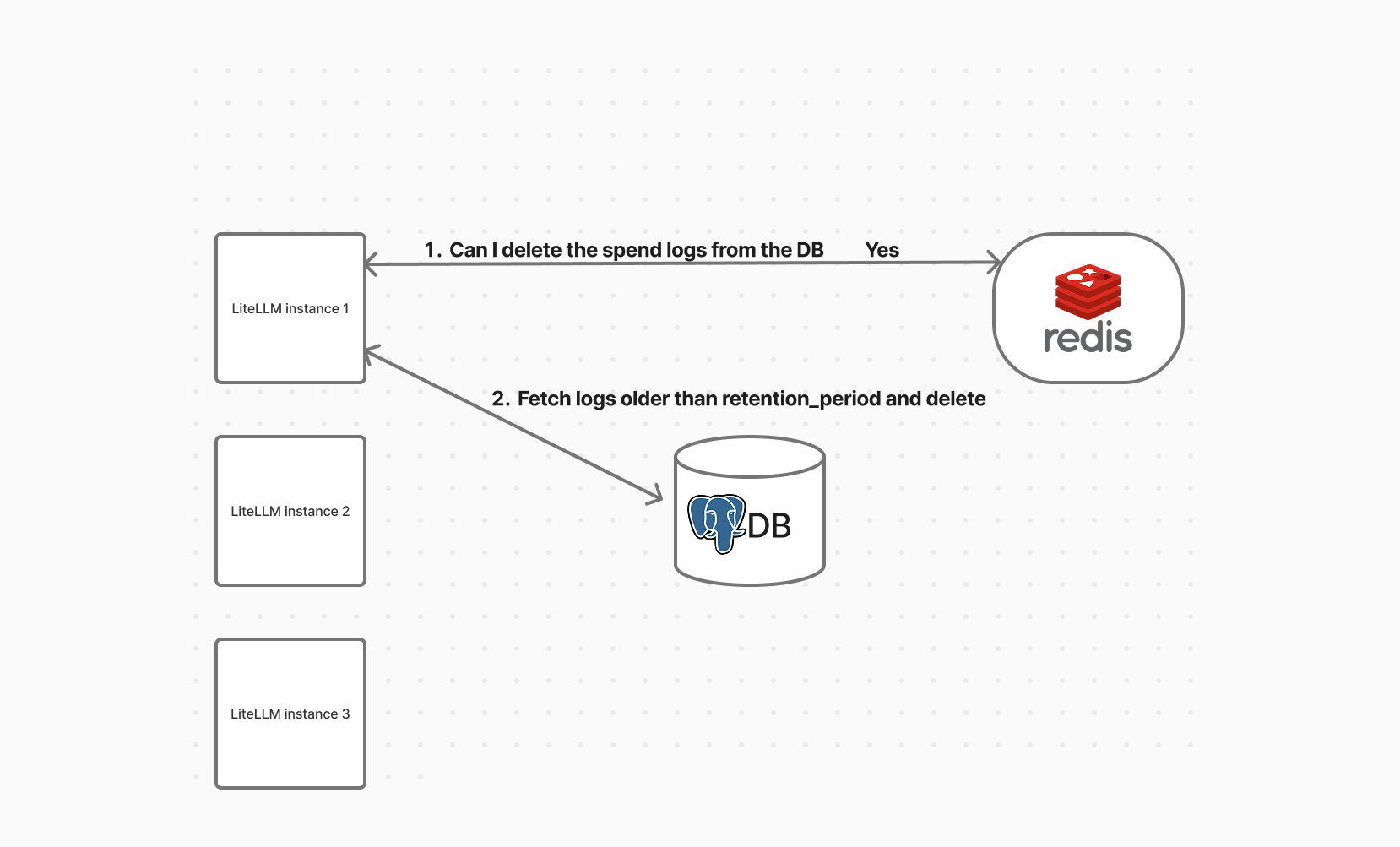
Step 1. Lock Acquisition (Optional with Redis)
If Redis is enabled, LiteLLM uses it to make sure only one instance runs the cleanup at a time.
- If the lock is acquired:
- This instance proceeds with cleanup
- Others skip it
- If no lock is present:
- Cleanup still runs (useful for single-node setups)
Working of spend log deletions
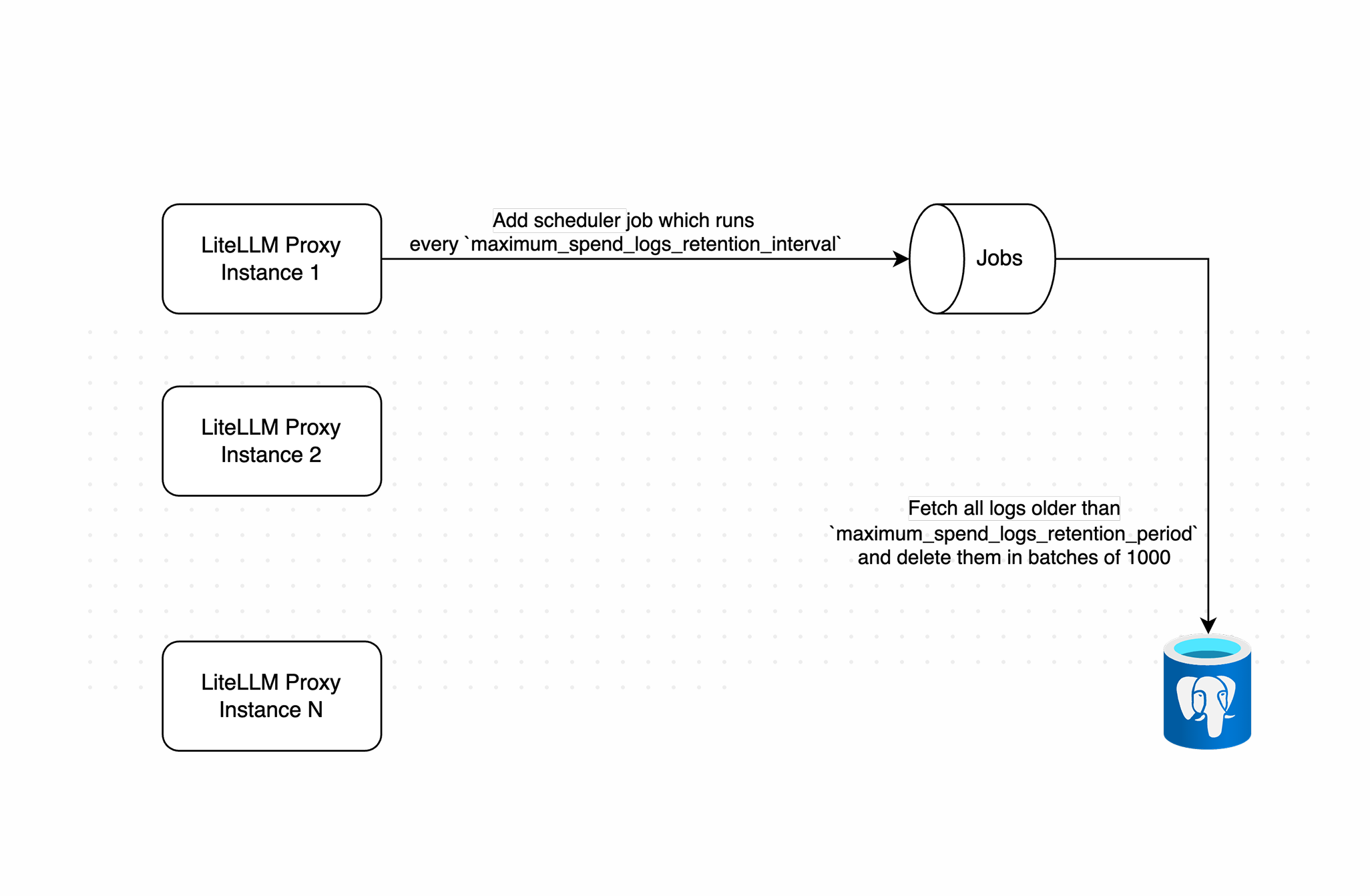
Step 2. Batch Deletion
Once cleanup starts:
- It calculates the cutoff date using the configured retention period
- Deletes logs older than the cutoff in batches (default size
1000) - Adds a short delay between batches to avoid overloading the database
Default settings:
- Batch size: 1000 logs (configurable via
SPEND_LOG_CLEANUP_BATCH_SIZE) - Max batches per run: 500
- Max deletions per run: 500,000 logs
You can change the cleanup parameters using environment variables:
SPEND_LOG_RUN_LOOPS=200
# optional: change batch size from the default 1000
SPEND_LOG_CLEANUP_BATCH_SIZE=2000
This would allow up to 200,000 logs to be deleted in one run.
Batch deletion of old logs